
 21 Days to a More Profitable Blog Tutorial > Day 3! Customize your blog’s welcome message for new visitors
(Yawn….it’s 3:52am – do you know where your sleep is?)
I’ll tell you where mine is NOT – here! Woke up at 3:30am and decided, well golly gee, why waste time sleeping when instead, I could be enjoying the stark utter stillness that WOULD be present if my 15 TwitterBudgies decided to actually silence their beaks?
I know, I know, it’s a rhetorical question. 🙂
Thus, let’s dive into:
Today is Day 3 of my series, 21 Days To A More Profitable Blog! And for today, I’d like to talk about…
Crowds, chocolate, coffee and bungie jumping.
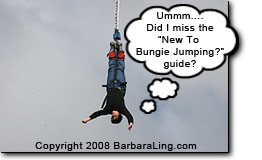 Got that mental picture square in your mind? Alright now, imagine the following – you’re the host of the bungie jumping corporation that decided to run a 3 day Bungie Jumping Convention, courtesy of the Britian Elastic Rope Sports Association. Because it’s a three day affair (aren’t all megaSporting events 3 days?), you have trained your staff to handle all sorts of attendees, including:
- Experience bungie-jumpers
- Newbie bungie-jumpers
- Parents who are freaking out over their idjut kids’ desire to bungie jump when they can’t even keep their room clean longer than 2 minutes and don’t even get me started on their inability to retain MATCHED pairs of socks and ….
- Press
- Vendors
Let me now ask you:
On every day, do you greet every person the EXACT same way?
Or do you follow a process like:
- For each first-time visitor of the crowd, offer hand-made chocolate, the Beverage Of Life (ie coffee), a map of the grounds and a wish
that they survive their jumpfor a great time? - For each returning visitor, make sure everyone smiles and they know where to directly migrate?
Well?
Think about it. Methinks as a brilliant organizer, you’d set up a process that takes into consideration the visitor’s awareness of the event. Newcomers would have the full Welcome Wagon experience while returning visitors would know exactly how everything is laid out, and to where to go if questions arise.
Let me now ask you:
Does your blog do the same thing?
When someone new visitors your blog, do they get a customized welcome message that points them exactly where your site’s goodies are located?
HMMMM?
Just think of the benefits that would offer – newcomers would have their hands held and be led to the information they crave, while returning visitors already know the ropes…no need for them to see the welcome message a second time.
Sounds enticing? I certainly hope so, because that’s what I’m about to reveal!
And the good news is, it doesn’t take a lot of time at all to make your blog all friendly-like.
So! With coffee in hand (okay, coffee in cup that’s in hand), let’s turn to:
 Before You Begin – Know how to install WordPress plugins.
The goodie with which I am going to amaze and astonish you is a WordPress plugin that you’ll need to install on your blog. If you need help for doing so, check out:
Wasn’t that delightful?
Ready to continue? Excellent! Move smoothly now to:
Step 1 – Install the What Would Seth Godin Do Plugin
You’ve heard of Seth Godin, master of permission marketing, right? Well, one brilliant blogger wrote:
….Seth Godin advocates using cookies to distinguish between new and returning visitors to your site:
One opportunity that’s underused is the idea of using cookies to treat returning visitors differently than newbies. It’s more work at first, but it can offer two experiences to two different sorts of people. (Source: In the Middle, Starting)
I built this WordPress plugin to implement Seth Godin’s idea. For WordPress users it reduces the “work at first” to almost nothing. Installation is simple…MORE….
Click HERE to download/install it, btw.
What’s really neat about this plugin is you can configure it to display any welcome message you’d like. Many people display:
If you’re new here, you may want to subscribe to my RSS feed. Thanks for visiting!
Let’s stop for a second and think what this does. You’re giving people a hint that hey! There’s an RSS feed and perhaps, it would be most incumbant upon myself to subscribe!
But wait! An opportunity is now barreling down upon you like a runaway train that escaped from DisneyWorld, a herd of toddlers that heard the ice-cream truck bell, a fleet of TwitterUsers who spied a freshly brewed cup of coffee, a …. (alright, I’m pretty certain you get my point)
And it’s this!
People may…or people may NOT….want to subscribe. How the heck should they know if they’ve never been on your site before?
Hmmmm?
I really wonder why people don’t seem to take that little itty bitty fact to heart. Tackling this issue requires an entire complete lesson in of itself…so I’d like to pause here and verify you’ve installed the WWSGD plugin. I promise you you’ll be tweaking it tomorrow. Okay?
Great!
Let me switch gears for a moment as I’m still only on Step 1 and charge off in a totally new direction that will make complete and utter sense tomorrow. Tell me now:
Are you on the cutting edge of your blog niche? After all, having a welcome message is fine and dandy but kinda sorta useless if nobody visits your blog…..
Right?
‘Course right! One great way to ensure your traffic goes UP instead of imitating a herd of lemmings and crashing DOWN is to gain knowledge of your niche’s news. And the best way for that is:
Step 2 – Grab a feed-reader and add in current niche blogs.
Do NOT underestimate the importance of feed readers (RSS readers, etc.)! A reader jam-packed with the latest and greatest happenings in your niche will not only give you tons of content about which to write, but also provide you with like-minded blogs at which you can comment and generate a direct link back to your site (a Good Thing for search engine visibility).
Here’s what I use:
And here’s others you can use:
Some neat articles to learn more include:
- Brief – RSS Reader for Firefox Dynamic Bookmarks
- Google Reader Is Now Feed Reader + Twitter + Del.icio.us
- Why you should subscribe to your own blog’s RSS feed
Remember your goal here. You want to have your niche’s industry news at your fingertips.
A great feed reader can really assist!
And finally, for my last step in Day 3 of 21 Days to a More Profitable Blog, I’d like to suggest that you adroitly:
Step 3 – Add relevant feeds
Finding relevant feeds is easier than teaching a teenager to embrace the word ‘angst’. Just go to Google and search for:
- niche blog
ie
Whenever you find a good blog, simply add its feed to your blog reader and voila, you’ll be kept abreast of any new posts that are made.
In addition, you can tack on
- commentluv
so you’ll be assured that when you comment on a post, you’ll receive a deep link direct back to your own personal blog. i do this all the time, it’s very useful! Check out these searches:
Voila! End result? Not only are you kept current in your daily reading, but you now know which blogs will help you with your own search engine visibility. I have Commentluv on all of my blogs to encourage commenting; you should too!
And that brings me to:
In closing
In today’s lesson, you learned about the What Would Seth Godin Do plugin you can add to present a welcome message to your readers..
But! An opportunity now arises!
(remember, there’s no such things as problems in real life – just misunderstood opportunities)…..
HOMEWORK – I had mentioned the 64 coffee cup question above:
People may…or people may NOT….want to subscribe. How the heck should they know if they’ve never been on your site before?
Your homework tonight is to tell me how you can enable visitors to KNOW if they want to subscribe or not…thus effectively increasing your blog readership.
Can you think of anything else to include? Feel free to comment about it below!
Until tomorrow,
Barbara
#BEGIN highlights of this blog writing post:
Beginners make money blogging tips: Welcome messages are nice for newcomers to your site.
Intermediate and/or Advanced make money blogging tips: You can put far more than just "You might want to subscribe to my RSS feed"…..
#END highlights of this blog writing post
Like this post? Please feel free to Digg It and let your friends know about it too – I very much appreciate your time!


 Get Started Here
 You’ll love what you learn… Promise!