
 21 Days to a More Profitable Blog Tutorial > Day 21! Package and Sell Your Best Posts
(I’m pretty sure you’re already aware by the latest of this post…it’s my second rewrite. 🙂 )
Welcome back! So glad you could visit again to check out Day 21 of my 21 Day tutoria! And I certainly hope you’ve been ‘way smarter than I, I, the magnificent idjut who was about to post this article this morning and then realized…Golly! I deleted it by mistake without saving it!
Learn from my experiences, dear reader – ALWAYS save the @#!@#(R$()! post every few minutes prior to publishing it!!!!!! ARGH!!! ARGHHH! AAAARRRRGGGGGHHHHH! <BashHeadAgainstWall> <BashHeadAgainstWall> <BashHeadAgainstWall> <BashHeadAgainstWall> <BashHeadAgainstWall> <BashHeadAgainstWall> <BashHeadAgainstWall>
But I digress. 🙂
How was your day yesterday? Mine was rather intense, actually. I took one of my kids to participate in the local karate tournament; he was the only non-black belt from our dojo there, and did very well for his first competition. Because I’m the unofficial photographer, I stayed afterwards and took lots of pictures of the other kids I can print out for the parents, and also watched our senseis compete as well. Speaking of which, they were sooo supportive of my son during the whole time; I cannot imagine better Martial Arts teachers for my kids. It was really good!
And now it’s time for!
Today is Day 21 of my series, 21 Days To A More Profitable Blog!
And for today, I’d like to discuss:
Looking Out for Number One
But not the way you’d think. 🙂
(Hey! Guess what! I just saved this draft! So if my computer is devoured by a Yellow-Bellied Doomie, I will STILL have the post available for me when I access my site again! Call the media – Barbara learned! Wow!)
Anywhos! Let’s talk about what makes people add links to your blog to their blogs. Sure, it could be blogrolls (yay!) or it could be posts (yay!) or….or…..or……
It could be because they make affiliate commissions if people buy your stuff!
HOLD IT RIGHT THERE! Don’t get all flustered right now by the possibly obvious statement:
"Ummmm, Barbara? I’m not selling anything….."
That’s okay! Let me expound a bit about this idea and demystify it for you.
You see, many many many people look out for number one (themselves) and consider that fact when designing their website. After all, look at all the advertisers buttons you see online – did you know you can also use affiliate links for those as well? Heck, 2 of my advertiser buttons go directly to my eBay affiliate ID!
Now….ask yourself for a moment. What if (just…what if) you took advantage of yesterday’s lesson (Write a tutorial that everyone craves) and reworked it into an ebook?
Instead of having to click from day to day, readers would have all of your critical information at their fingertips and be able to print out your lessons in a readable/take-notes format and bring it to bed with them and mark it up. Contrary to popular belief, not everyone lives for video tutorials today!
But even better…
(I saved the post AGAIN! I rock, I rock, I’m mega, I rock….)
If you’ve already written a 21 day tutorial (or 14 day or what have you)….
All of your content is already THERE.
Stay with me here, the following is critical and key. All you have to do is:
- Copy and paste your tutorials into Microsoft Word
- Add useful headers and footers
- Add an introduction and ‘About The Author’
- Tweak any layout design
Save it, PDF it, and voila…instant ebook you can sell (or give away if people sign up for your RSS feed or subscribe via email or…)
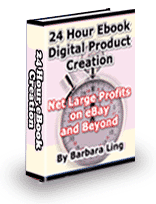 Time is money, and people will pay for the kind of quality you can deliver (witness WebWarrior, for example). Even if you don’t want to use a sequential tutorial you have written, you can easily dash up a quick reference ebook in under 24 hours. I know this is quite feasible – I wrote 24 Hour eBook Digital Product Creation 5 years ago! And the best news is, the majority of the ebook is still quite applicable today – the simple 1-2-3 steps I lay out can be followed by anyone to create a pretty spiffy ebook with very little effort.
And as I always walk the walk I talk, I’m now offering that as a complimentary download for all folks who subscribe to my feed. The RSS footer of my feed will contain the direct link to the product.
Just think how beneficial this will be when you can do the same thing for your blo!
And here’s how.
 Before You Begin – Copy/Paste your 21 Day Tutorial (or best blog posts etc.) to Microsoft Word and PDF-ize it.
I proved to myself over the weekend how easy it was to do this – after some tweaking of the copy and some other additional goodies, the tutorial you have just read is easily over 100 pdf pages. Like I said…instant eBook!
Refer to my 24 Hour Book that you can retrieve by subscribing to my feed to learn how to write a quick-reference ebook.
 PDF-ize it. I personally use Adobe Acrobat Distiller (I make my living writing, so I don’t do free), but other resources include:
If you want a completely hand-holding guide, consider the Quick and Easy Infoproduct Creation series by Dave Lovelace.
Next,
Step 1 – Set up a backend affiliate program/helpdesk.
Sites like e-Junkie, WebWarrior and Clickbank will give you the ability sell your own products online along with develop an affiliate program for them. It’s also good to create an affiliate tutorial as well – you can see an example at mine for the Fab Fit Mom series.
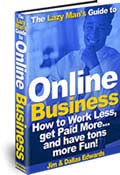 Once that’s completed, design a quick customer care followup email that answers 99.976% of customer questions and even build a helpdesk. I learned that tip from the Lazy Man’s Guide to Online Business – it’s an excellent excellent resource.
Next,
Step 2 – Package your product and upload it to an obscure hidden directory on your site.
If you plan on using your PDF file as a bonus for subscribing, download and install the RSS Footer Plugin. This plugin allows you to tack on a message to your subscribers. Here’s mine:
- Post from: <a href="www.barbaraling.com">Barbara Ling</a>. Thank you for your time! If you’ve already subscribed to my feed, please download your FREE copy of 24 Hour eBook Digital Product Creation at …. – I think you’ll find it most useful indeed. — Barbara
The obscure location is revealed in my RSS footer. 🙂
If you’re going to sell it instead, set up all the requirements for that (ie, sales page, thank you page, etc. – btw, I use Download Guard for all of my digital product deliveries), and then move to:
Step 3 – Write a blog post about it!
Announce your new product on your blog. A really nice benefit to having your product on your blog is ideally, it will use the same template that your current blog uses….so the resources for people to subscribe and learn more about you are at your reader’s fingertips.
Then tweet about, let your network know about it, and take the time to get it known. It should greatly help not only increase your profits (as your blog is now monetized thanks to earlier lessons) but also your subscription rate as well.
Nice, eh?
In closing
In today’s lesson, you learned one of the true secrets to making money online – selling your own product and enlisting hordes of affiliates to sell it as well.
And…and….and…..
And we’re done! Just think – you’ve gone thru 21 days of making your blog more profitable! Think about what you’ve learned and what you’ve implemented – I’ll bet you never realized before just how easy it is to add little tweakies to your blog that result in greater traffic, a higher subscription rate and more.
To recap, here’s what you’ve learned:
- 1). Prepare – Internalize from where Money Comes
- Homework – Ask yourself what you want to do
- 2). Prepare – Add Networking Plugins To Your Blog and search out feeds
- Homework – Anything Else?
- 3). Prepare – Add Seth Godins Plugin
- Homework – Check out your feed
- 4). Prepare – Write a Why Subscribe?
- Homework – Think About how others find your site
- 5). Prepare – Write a Twelcome page
- Homework – Make certain your Twitter page includes it
- 6). Prepare – Make your site iPhone-friendly
- Homework – Ask someone with an iPhone to check it out
- 7). Prepare – Get affiliate programs
- Homework – Keep a file handy with your contact information
- 8.) Implement option – add eBay to your sidebar
- Homework – Get comfortable with copying/pasting code
- 9). Implement option – add Amazon to your sidebar
- Homework – Get comfortable with copying/pasting code
- 10). Implement option – Add clickbank links to sidebar
- Homework – Research what programs make sense for you
- 11). Implement option – Write post about eBay item
- Homework – What intrigues your audience the most?
- 12). Implement option – Write post about Amazon.com savings
- Homework – What is the most popular selling thingee?
- 13). Implement option – Write about future trends
- Homework – What is being pre-ordered the most?
- 14). Implement option – Add Adsense
- Homework – how can you get products for free?
- 15). Networking – Proactively contact for CB authors for reviews
- Homework – Find 3 authors you can contact
- 16). Networking – Add newsletter
- Homework – Determine what value-added t
- 17). Networking – Offer complimentary downloads
- Homework – about what can you write?
- 18). Networking – Tweet and Retweet
- Homework – how can you use comments with SEO?
- 19). Networking – Comment comment comment
- Homework – what blogs in your niche have commentluv?
- 20). Networking – Write a tutorial
- Homework – now that you’re done….
- 21). Package and Sell Your Best Posts
- Closing
And with that, it’s time for me now to close my tutorial, 21 Days to a More Profitable Blog. Hope you benefitting from it as much as I enjoyed writing it!
Best wishes,
Barbara Ling
ps – don’t forget to subscribe to my feed to get your 24 Hour eBook Digital Product Creation guide!


 Get Started Here
 You’ll love what you learn… Promise!